Extract hardcoded subtitles from a video to SRT
Support answers 24/7.
Hardcoded subtitles are part of the picture itself, so they cannot be turned off and there is no subtitle file to export. The only way to get them as text is to read them from the picture with text recognition (OCR), which is what this tool does.
Your subtitle jobs
When a job shows Done, watch your video with its subtitles or download the SRT, VTT or TXT file. We also email you the link.
Only you can see your files. Sign in with the same email to open them on any device.
Translate any subtitle file in seconds with the Subtitle Translator →
Your privacy comes first. To protect your content, uploaded videos are permanently deleted after 7 days, so keep a copy of your original file. Your subtitles (SRT, VTT and TXT) stay available in your account for a full year.
Choose a video with subtitles burned into the picture. MP4, MOV, MKV and more.
Text recognition (OCR) reads each subtitle line from the picture, with its start and end time.
When the job shows Done, preview it in the browser and download the subtitles as SRT, VTT or TXT.
No subtitles found, or the text has mistakes?
Check these first:
- The language selected is the language of the subtitles, not of the speech.
- The subtitles are large and sharp enough to read: a 720p or better video gives the best result, small or blurry text gives mistakes.
- The subtitles are in an unusual place (top of the screen, moving, inside a box): choose All text in the video instead of Subtitles only.
- Fancy or outlined fonts and text over a busy background are harder to read. Test a short clip first.
From burned-in text to an SRT file
Hardcoded subtitles are part of the picture: players cannot turn them off and caption tools cannot hear them. Text recognition (OCR) reads them back.
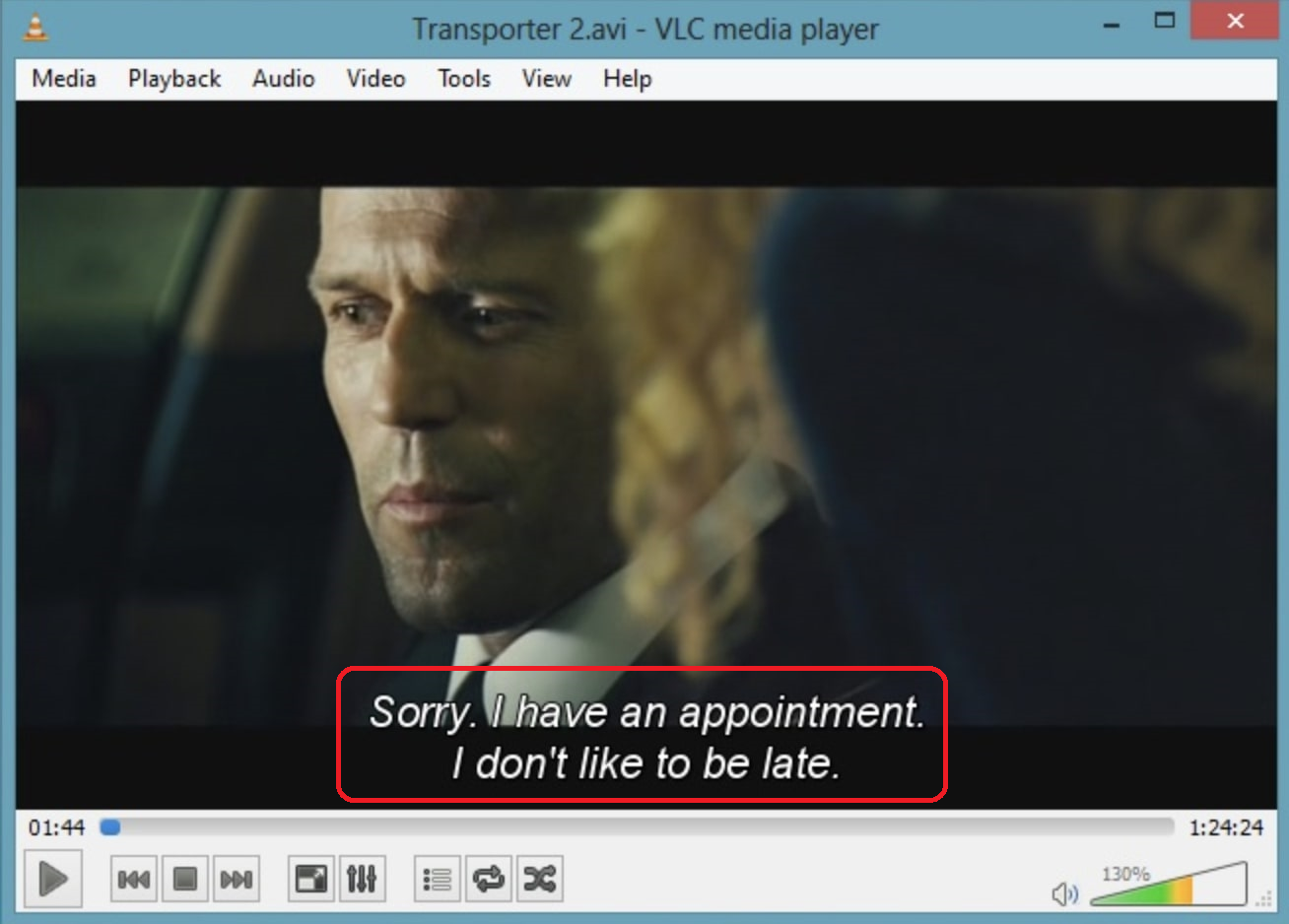
1
00:01:44,120 --> 00:01:46,900
Sorry. I have an appointment.
I don't like to be late.
Reading on-screen text uses 2 minutes of credit per minute of video ($15 for 120 minutes of credit). 40 free minutes when you verify your email.
Extracting hardcoded subtitles: FAQ
What are hardcoded subtitles?
Subtitles that were burned into the video image when it was made. Unlike soft subtitles (a separate track in an MKV or MP4), they cannot be switched off, and there is no subtitle file to export. To get them as text they must be read from the picture.
How do I extract hardcoded subtitles to SRT?
Upload the video above, choose the language of the subtitles, keep “Subtitles only (auto)” and press Extract subtitle. When the job is done, download the SRT, VTT or TXT file.
Which languages can it read?
Most written languages, including English, Chinese (simplified and traditional), Japanese, Korean, Vietnamese, Thai, Arabic, Russian, Spanish and French.
Can I translate the extracted subtitles?
Yes. Pick a translation language in the form, or see how to translate burned-in Chinese, Korean or Japanese subtitles to English.
Will logos and watermarks end up in my subtitles?
Not with “Subtitles only (auto)”: it finds where the subtitles are and leaves out other text. Choose “All text in the video” if you want every piece of on-screen text.
My video has soft subtitles (a subtitle track). Do I need OCR?
No. Use the MKV / MP4 subtitle extractor, it is faster and exact.
How accurate is it?
Clear subtitles in a 720p or better video come out almost perfect. Small, blurry or stylised text, or text over a busy background, gives more mistakes. Test a short clip with your free minutes first.
Can I remove the subtitles from the video too?
Yes, with the Subtitle Remover.
Get the text out of your video
40 free minutes when you verify your email. No credit card needed.
Extract hardcoded subtitles